INTEGRATIONS / Google Looker Studio

Google Looker Studio

Turn every call into clean, actionable data for reporting and optimization.

Why Google Looker Studio + Nimbata?

Visualize your call data in fully custom dashboards and connect phone conversions to the metrics that drive decisions.

Unified cross-channel data

Combine inbound call activity with your Google Ads, Facebook, and GA4 metrics to create a single source of truth for all your marketing performance.

Seamless Data Mapping

Push any Nimbata field into Looker Studio in real-time via Google Sheets or GA4, eliminating manual exports.

AI-Powered Reporting

Transform AI-generated insights, such as intent tags and lead scores, into interactive charts to instantly identify which campaigns are driving high-value conversations and revenue.

Call Tracking for Looker Studio integration capabilities

(that make your decision-making effortless)
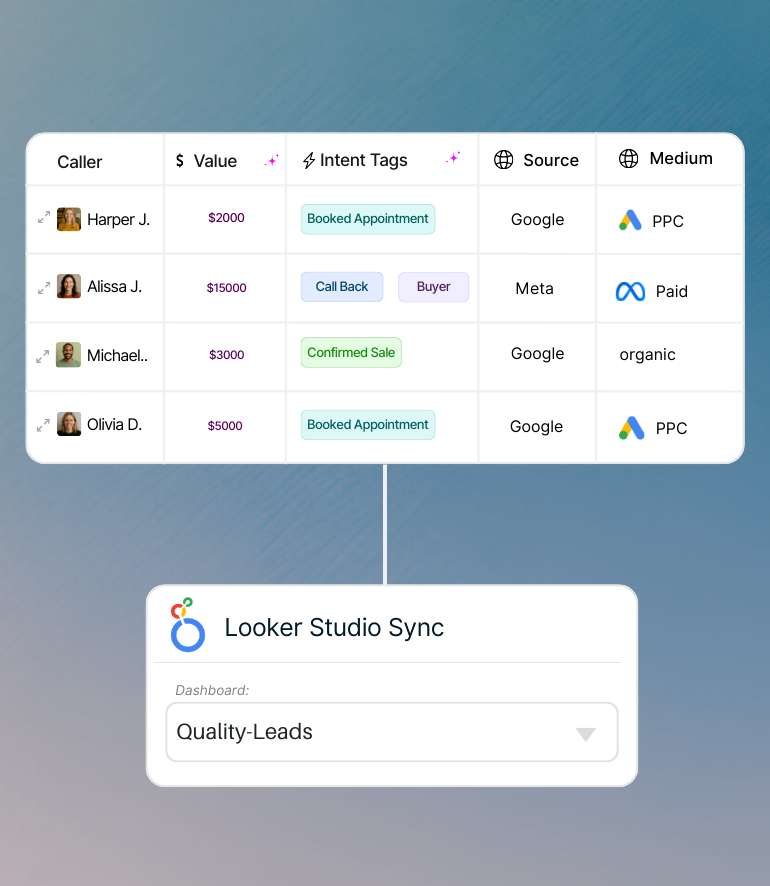
Auto-fill your Looker reports with Nimbata's call insights and see which channels bring real results

Fresh Looker dashboards with instantly updated data sources.

With Nimbata’s insights you can break down inbound calls in your Google Looker dashboards by more than volume. See which sources bring in new leads vs. repeat callers, which campaigns drive real appointments, and which channels deliver high-intent opportunities.

Keep your reports clean and always up to date with source-level, actionable call data.
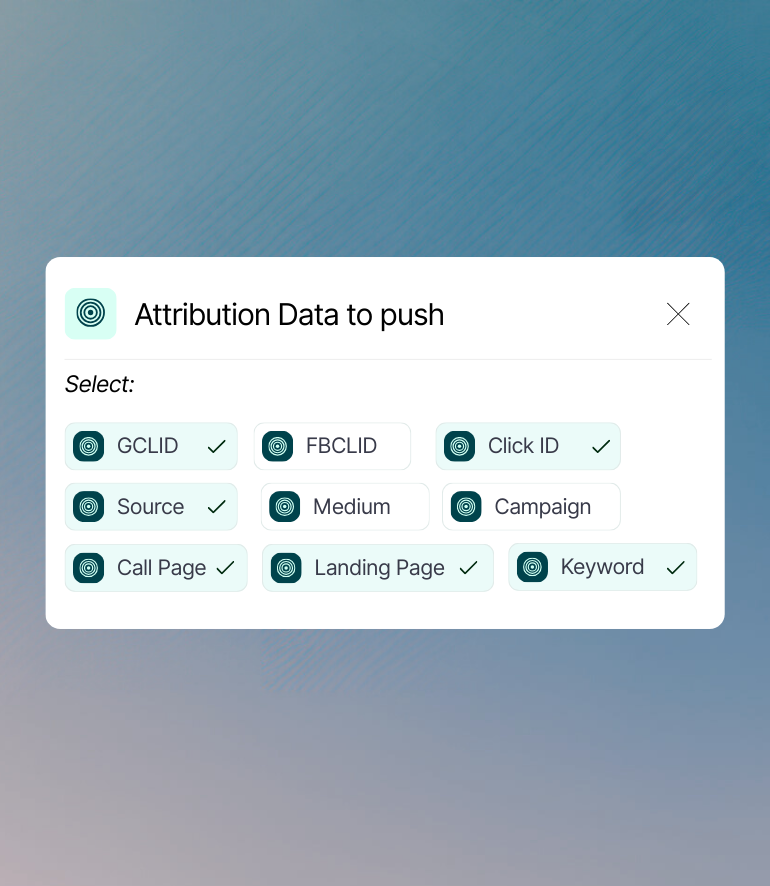
Push Attribution data such as GCLID, Click ID and Keyword from Nimbata fields to structured dashboards

Push the right data on your reports

Transform available or custom fields into structured datasets that flow seamlessly into Google Looker dashboards, in real-time. Configure exactly which metrics matter and visualize them instantly.

All automatically captured in your data source. No messy reports. No manual effort.
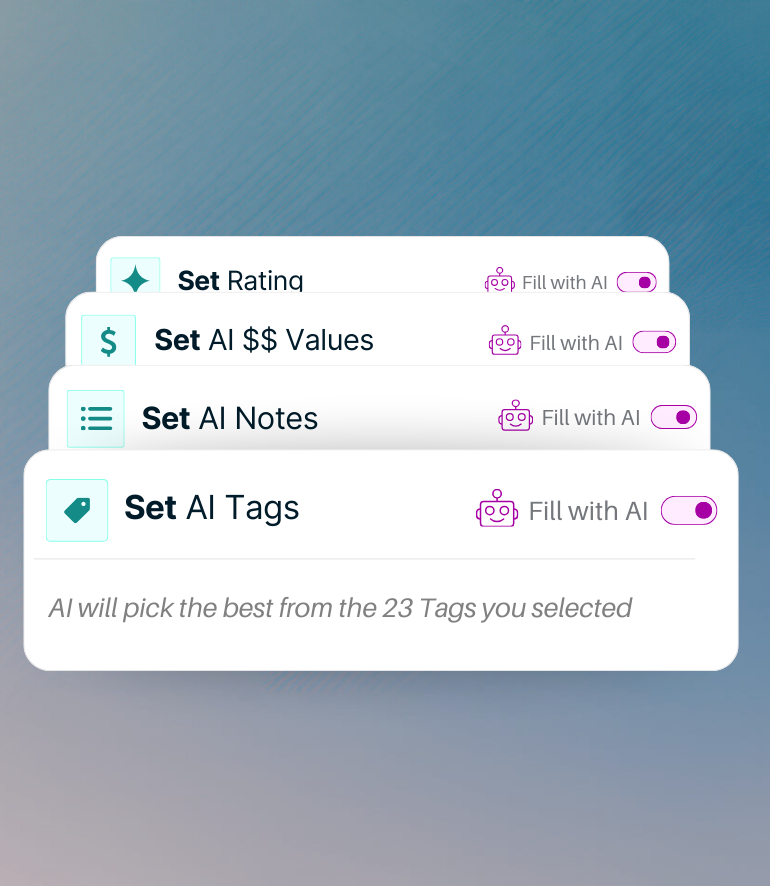
AI call tracking - enrich your lead's data in your Looker dashboards with Nimbata's AI

Add AI call insights to your Looker dashboards

Nimbata’s AI analyzes every call — tagging intent, scoring leads, and estimating value — then feeds those insights into Google Looker Studio for clear, visual reporting.

Easily highlight high-potential leads and campaign results without sifting through raw call logs.

Nimbata + Google Looker Studio Integration FAQs

What call data can I send to Google Looker?

You can report on:

✔ Total calls, answered vs. missed
✔ First-time vs. repeat callers
✔ Call sources (campaigns, keywords, channels)
✔ Conversion performance from calls pushed into Google Ads or GA4
✔ Appointment calls vs Sales Calls

How do I enable call tracking for Google Looker Studio with Nimbata?

It’s simple! You can bring Nimbata call tracking data into Looker Studio using the integrations you already work with every day—Google Sheets, GA4, or Google Ads. This means no extra connectors or complicated setups are needed.

Why should I sync Nimbata with Looker Studio?

Because it lets you see the full picture:

✔ Combine call data with ad spend, web analytics, and sales metrics in one dashboard.
✔ Attribute ROI across campaigns, keywords, and channels.
✔ Create client-ready reports that are visually clear and update automatically.

Can I control which call data get logged in Google Looker?

Absolutely. Use Nimbata’s automation rules to filter which calls are logged in your preferred data sources based on criteria like call duration, source, tags, or AI-classified outcomes — only track the calls that matter to you.

What if I want to log data from different sources in one report?

That’s exactly what Nimbata is built for. You can combine calls from different sources, numbers, or campaigns into one centralized Looker report or dashboard to create your own marketing data lake.

Does it update in real time?

Data is sent to your chosen data source shortly after each call ends — so your Looker reports stay fresh and your reports stay relevant, without long delays or missed updates.

How long does it take to set up the integration?

Just a few minutes. Since Nimbata connects to Looker Studio through the tools you already use setup is quick and straightforward. Most users are up and running with their first dashboard in minutes.

Who benefits most from this setup?

Agencies: Show clients exactly how campaigns drive calls.
Performance marketers: Attribute revenue to the right clicks.
Business owners: Track which channels bring in customers—without juggling multiple tools.

Is it complicated to maintain?

Not at all. Once connected, your data can update automatically through scheduled exports or live event pushes—so your dashboards always stay fresh.

Discover more integrations