Call tracking is how marketers finally see which ads, keywords, and campaigns actually drive their phone calls. It works by tying every inbound call to a unique phone number, assigned to a channel or to an individual website visitor, so you know which marketing is generating real revenue and which is quietly burning budget.
If your business relies on phone calls (e.g. service inquiries, bookings, sales) you’ve been missing data every time the phone rings. Call tracking is what closes that gap.
This guide explains what call tracking is, how it works under the hood, the three types you’ll encounter, and the questions it helps marketers answer. No product pitches, no comparisons, that’s a separate article.
What is call tracking?
Call tracking is a marketing technology that connects inbound phone calls to the online or offline source that produced them. Without it, a phone call is an anonymous event, the caller’s number shows up, but you have no way to know whether they found you through a Google ad, an organic search, a billboard, or a referral.
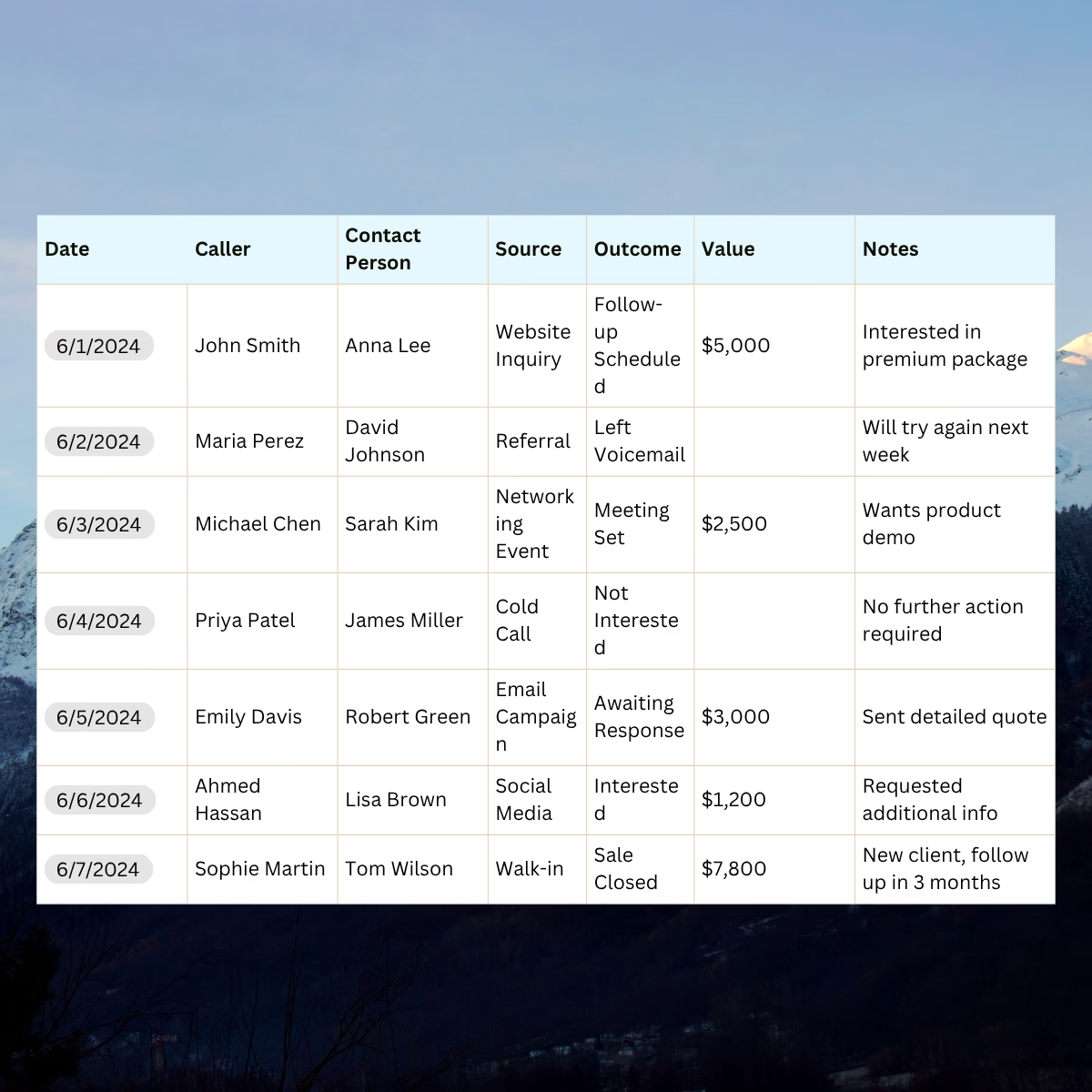
A call tracking platform solves this by sitting between your marketing channels and your phone line. Each channel gets its own phone number (or a pool of numbers that rotate based on visitor session). When someone dials that number, the call is forwarded to your real business line, but the platform records the source, the time, the duration, the caller’s location, and with modern tools, a full transcript and AI-analyzed summary of what was said.
The result: every phone call becomes a row in your analytics, attributable to the exact channel that drove it. You can measure cost-per-call by campaign, integrate calls as conversions in Google Ads and GA4, and finally know whether your offline marketing actually works.
And it matters more than most marketers realize. Around 60% of inbound business contacts still arrive by phone, and the people on the other end of those calls are usually further down the funnel than anyone filling out a form.
Call tracking is how you stop ignoring the channel that produces your best leads.
What does call tracking do?
Call tracking solves the problem many marketers and owners face – how to connect an offline lead, like a phone call, to a specific marketing source and the revenue it generates. While tools such as Google Ads or email platforms make it easy to track clicks and conversions online, phone calls have traditionally been a blind spot.

“Thank you for calling our clinic. Could you tell us how you heard about us?”
Many local businesses still attempt marketing attribution through manual questioning. It’s slow, inconsistent, and unreliable.
Call tracking software automates this process, taking guesses and human error out of the equation. Instead of relying on customers to recall how they found you, the system links each call to its exact marketing trigger.
In practice, call tracking assigns unique tracking numbers to your marketing efforts so you can see exactly which source or campaign drove each call. However, modern setups often go a step further. Instead of using a single static number per channel, many businesses implement a pool of tracking numbers that are dynamically assigned to website visitors.
This approach, powered by Dynamic Number Insertion (DNI), lets you connect every call to the visitor’s full online journey. You gain knowledge of the keyword, landing page, or campaign that generated the call and how the visitor interacted with your site before calling.
It’s a simple concept with powerful implications; call tracking turns every phone conversation into a data-rich event that reveals the true path from marketing to conversion.
How do I set up call tracking?
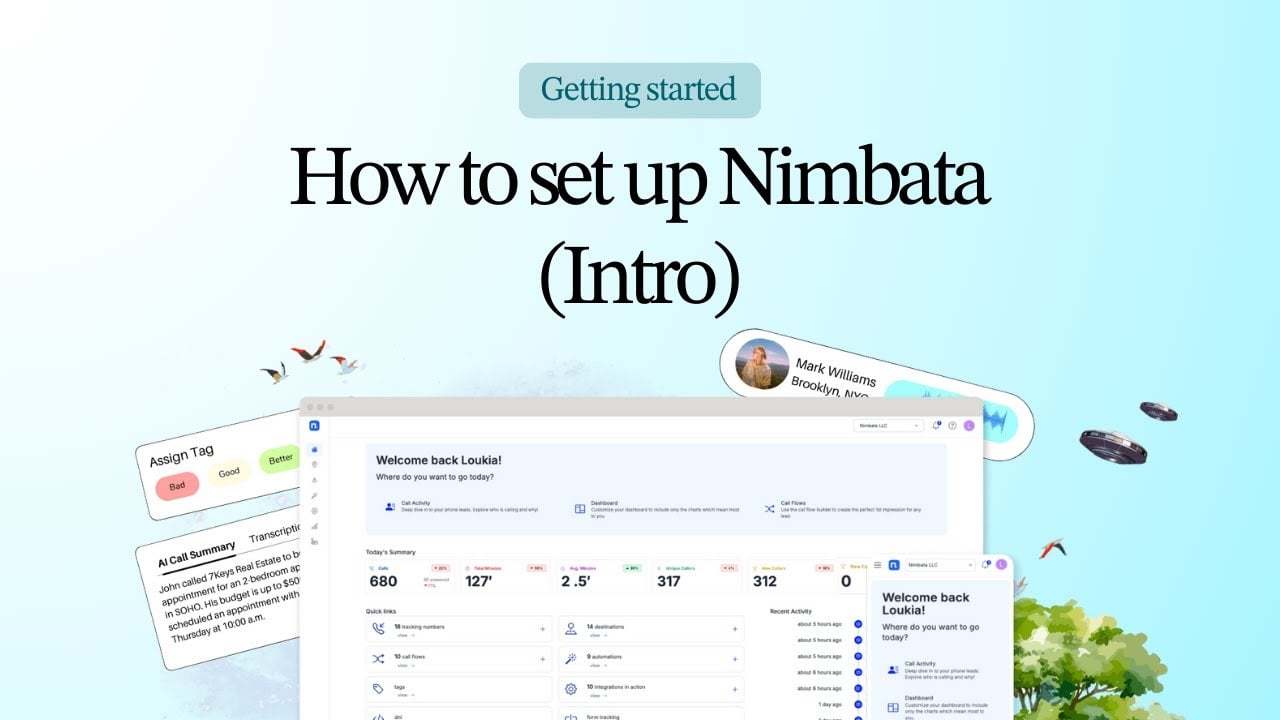
Implementing call tracking might sound technical, but with the right structure, it’s a quick process that delivers measurable results from day one. Here’s a video step-by-step playlist-style guide to help you set everything up:
In the next section, we will get a bit more technical about how call tracking works.
How does call tracking work?
Underneath the marketing layer, call tracking is mostly five steps wired together, and the same five steps whether you’re running a single static number for a print ad or a visitor-level system feeding Google Ads in real time. The first three happen in the moments around the call itself. The last two happen quietly in the background, turning the conversation into data your team can actually act on.

Here’s what’s happening at each stage:
1. Dynamic Number Insertion (DNI)
Dynamic Number Insertion is the JavaScript on your website that swaps the displayed phone number on the fly. It runs in two modes, and the difference between them is the difference between channel-level reporting and full session-level attribution:
- Per channel: one tracking number per marketing source. Visitors from Google Ads see number A, visitors from organic see number B. You get clean channel-level insights but no keyword or session detail. You’ll need less tracking numbers.
- Per visitor: each individual website visitor is assigned a unique number from a rotating pool. When they call, you see everything: which keyword they searched, which ad they clicked, which pages they viewed, how long they spent before picking up the phone.
DNI is the difference between knowing that a call came in and knowing exactly who placed it and why.
2. Call routing
The platform decides where to send the call. Sometimes that’s straight to a single team. Sometimes it’s rule-based: time of day, day of week, geography of the caller, or which number they dialed. Sales calls go to sales. Service calls go to support. After-hours calls roll to voicemail or an on-call rep.
The caller never sees any of this, they just get connected to the right person, fast.
3. Data capture
While the call is connecting, the platform is quietly capturing everything useful:
- Where the call came from: campaign, ad, keyword, landing page
- Who’s calling: phone number, geographic location, whether they’ve called before
- What happened: answered, missed, abandoned, sent to voicemail
- How long it took: ring time, talk time, time on hold
4. Conversation analysis
This is where modern call tracking earns its keep. The platform records the call, transcribes it, and runs it through AI to pull out the parts that matter: sentiment, lead quality, recurring objections, the questions customers keep asking but no one on the marketing team ever hears.
Your conversations become structured data. Searchable, scorable, and useful for coaching reps and refining your ad copy.
5. Reporting and integrations
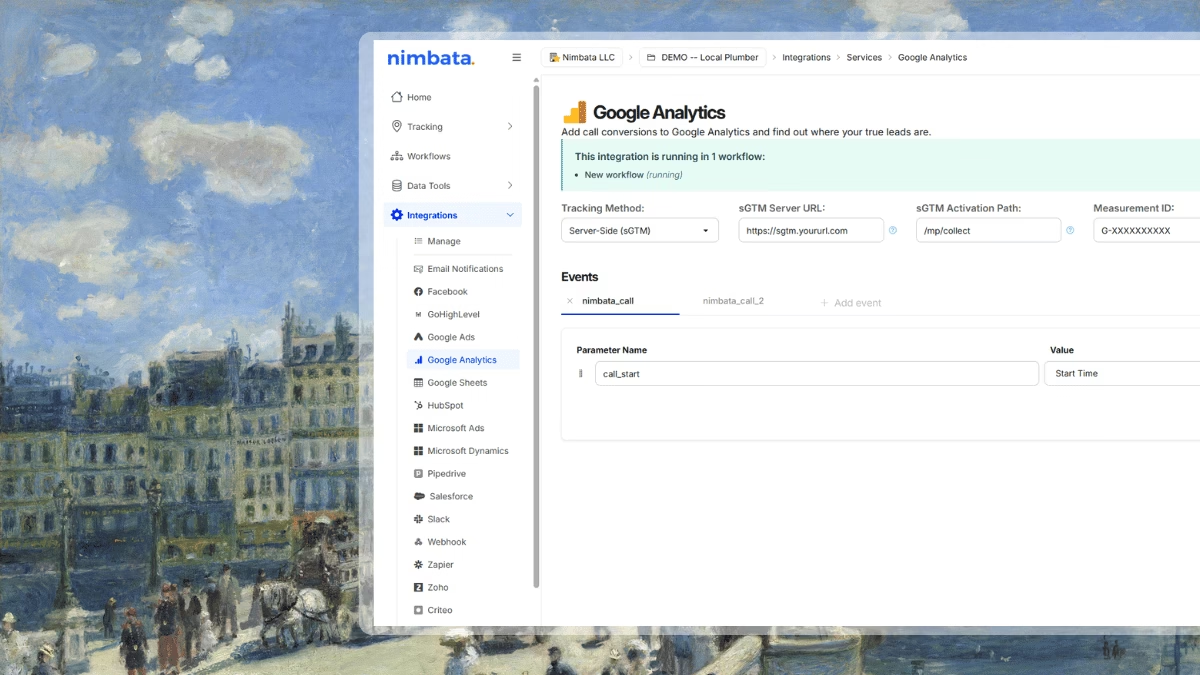
Everything flows back into the tools you already use. Calls show up as conversions in Google Ads (so the bidding algorithm starts optimizing for calls, not just clicks). They appear as events in GA4. They land in your CRM next to the rest of the lead record.
The point isn’t to give you another dashboard to check. It’s to make calls behave like every other digital touchpoint in your stack.
What are the 3 types of call tracking?
Each business has different needs. Some are covered by basic call tracking with a couple of numbers here and there, while others need more features or deeper analytics. Understanding the different types of call tracking helps you select the right solution for you and your clients.
Let’s explore them below:
1. Static call tracking
Best for offline sources, listings, and call extensions, static call tracking is the simplest form. It assigns a unique phone number to each marketing source or campaign.

How it works:
- You allocate one phone number per channel (e.g. one number for your website, another for your Google Ads, and another for print materials).
- When you receive a call the system attributes it to the specific number dialed, revealing which channel generated it.
Best for:
- Static call tracking is ideal for small businesses or limited campaigns that don’t need detailed analytics, such as local service providers who track flyers or ads.
Limitations:
- Static call tracking cannot distinguish between individual users or sessions.
- It doesn’t provide keyword or behavior-level insights.
2. Source-level call tracking
Best for understanding call volumes per channel, source-level call tracking offers a deeper look at call volumes per marketing channel.

How it works:
- Each major source of call data (e.g. paid search, organic traffic, email campaigns) gets a dedicated tracking number.
- The system attributes calls to their source and you can accurately see which channels send the most leads.
Best for:
- Marketers running multi-channel campaigns who want to understand overall performance without tracking every visitor.
Limitations:
- It doesn’t track individual sessions or customer journeys.
- It provides limited visibility into specific keywords or on-site user behavior.
3. Visitor-level call tracking
Best for detailed session level insights; it’s the most advanced option that combines Dynamic Number Insertion (DNI) and number pools to connect calls directly to user sessions.

How it works:
- Each visitor sees a unique phone number generated dynamically based on their session. When they call, the system logs their full journey. This includes the page they called from, their UTM parameters, ad clicks, or keywords they typed.
Best for:
- Businesses that want to optimize their PPC and digital campaigns using advanced analytics or agencies that need granular ROI proof and keyword-level attribution.
Limitations:
- More complex and costly to set up. Maintenance too can be expensive.
- Requires integration with Google Analytics or CRMs to function fully.
Brief summary of the types of call tracking
- Static tracking is simple and ideal for offline campaigns.
- Source-level tracking is great for understanding overall channel impact.
- Visitor-level tracking is best for advanced data-driven optimization.
These were the main types of call tracking. Next, we will see the most important features and integrations you should seek in every call tracking tool.
What problems does call tracking actually solve?
Three real ones that most marketing teams quietly live with.
The offline-to-online attribution gap.
You spent $20K on a radio campaign last quarter. Some of those listeners called. You have no idea how many. With unique tracking numbers per offline channel, that question gets a real answer.
The keyword attribution gap in paid search.
Google Ads will happily tell you that your campaign drove three phone conversions. It won’t tell you which keyword. Without call tracking, your bid optimization is built on a partial picture — and you’re probably overpaying on terms that don’t actually convert.
The “what did they actually say” gap.
Form submissions give you text. Phone calls give you tone, hesitation, the objection you’ve never heard before, the question your landing page didn’t answer. Call tracking with AI transcription surfaces all of it.
The benefits, in plain terms
- You stop overpaying for ads that don’t convert. Keyword-level call data flows into Google Ads as enhanced conversions, and the algorithm starts bidding for calls instead of clicks.
- Your offline media becomes measurable. Billboards, radio, print, direct mail — all attributable once they have their own numbers.
- Your best leads stop being invisible. Phone callers convert at 5–10× the rate of form fills in most service businesses. Call tracking is how you finally measure that.
- Your team gets better at coaching. AI summaries surface what your top performers say differently — and where the rest of the team is losing deals.
- Missed calls get recovered. Real-time alerts mean a missed call gets a callback in minutes instead of being a lost lead forever.
Who can use call tracking?
While nearly any business that uses phone calls can benefit, certain industries rely heavily on phone interactions to meet their financial targets.

Here are the top industries that can significantly benefit from using call tracking:
- Healthcare + Wellness: Track which campaigns drive appointment bookings and patient inquiries.
- Home Services: Attribute calls for urgent repairs, installations, or maintenance to the right ad or listing.
- Real Estate: Measure which listings or campaigns generate property inquiries and showings.
- Automotive: Connect test drives, financing requests, or service bookings back to specific promotions.
- Legal Services: Attribute consultations to campaigns and understand which client types bring the highest value.
- Travel & Hospitality: Reveal booking patterns and seasonal trends through call and campaign data.
- Financial Services: Link inquiries about loans, insurance, or investments to marketing channels for better ROI.
- Education: Track which campaigns drive student calls and enrollment inquiries.
Across all these verticals, call tracking data supports smarter budgeting,better lead quality, and more efficient teams.
Next up, we’ll show you how to set up your call tracking software correctly.
How does call tracking software work?
Call tracking software, like Nimbata, works by assigning unique phone numbers to different marketing channels (like Google Ads, Facebook, or print), using Dynamic Number Insertion (DNI) to show the right number to the right visitor, and routing calls to your main line while capturing data like source, keywords, duration, and call recordings, all analyzed by AI for insights, integrations, and better ROI.
Step 1: Define your goals
Setting up call tracking is not limited to subscribing to a platform and generating numbers. Before you do all that, you must identify your objectives:
- What do you want to measure? Is it campaign performance, lead quality, or team efficiency?
- Which marketing channels need tracking? Consider online (Google Ads, social media) and offline (print ads, billboards) campaigns.
- What insights are you looking for? Do you need keyword attribution, demographic insights, or call outcome data?
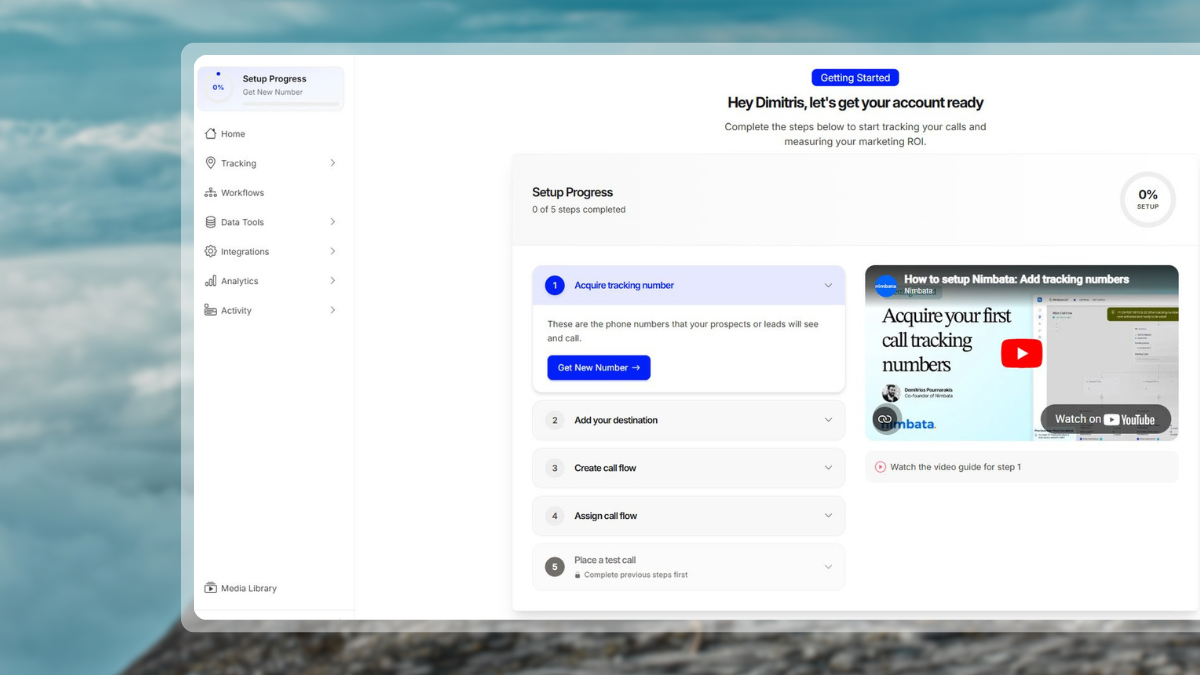
Step 2: Acquire your first tracking numbers
- Create or purchase unique phone numbers for each campaign or source.
- Use Dynamic Number Insertion (DNI) for online traffic via a script, WordPress plugin or Google Tag Manager.
- Decide between local vs. toll-free formats depending on your audience.
- If targeting high volume or session-level attribution, consult the Number Pool Calculator inside Nimbata.
Step 3: Configure call routing
Use the ‘Call Flows‘ in-app section to define how calls move. Options:
- Sequential routing: rings through agents in a list.
- Simultaneous routing: rings all at once.
- Time-based routing: after-hours, weekends and/or on holidays.
- Geographic routing: nearest office or branch.
Add greetings, call whispers, and voicemail messages to optimize the caller experience and data capture process.
Step 4: Activate recording, AI insights & workflows
- Activate call recording for quality assurance.
- Enable AI features: summaries, keyword spotting, sentiment analysis across more than 60 languages.
- Use the Workflow Builder to automate:
- Logging to CRM based on AI outcome.
- Sending conversions to Google Ads, Microsoft Ads.
- Alerting teams via Slack, Google Sheets, Webhooks.
Make sure ‘Call start‘ events and other triggers are configured correctly.
Step 5: Set up reporting & dashboards
- Create dashboards to monitor:
- Call volume (by channel/campaign)
- Conversion rate (calls > bookings/sales)
- Missed call rate (leads lost)
- Lead value or revenue (if tracked)
- Export or stream data: PDF dashboards, CSV/Google Sheets exports, or stream into GA4, Looker Studio, or CRM dashboards.
- For full-funnel view, integrate with Enhanced Conversions and track offline sources.
Step 6: Test & validate every element
Testing helps you close any data gaps you may have before running live campaigns.
- Dial each tracking number and verify correct routing and DNI swap.
- Confirm call data appears in dashboards and downstream integrations (CRM, Ads).
- Trigger an AI keyword event or workflow condition to test it fires as expected.
Step 7: Monitor & optimize continuously
Remember that call tracking is a living system that continuously improves with data and usage:
- Review which campaigns and channels produce the best leads.
- Use AI to spot new objections or trends and update scripts or landing pages.
- Optimize call-flow and workflow routing, call greetings, and general settings as your volume grows.
- Re-size number pools or adjust DNI settings if your visitor sessions increase significantly.
Which questions will marketers answer with call tracking?
Once your call tracking software is live, these KPIs show which campaigns and conversations actually drive revenue.
1. Which campaigns generate the most calls?
Metrics to track: Call Volume + Source Attribution
Track inbound calls by channel, campaign, or keyword to identify the sources that drive your brand engagement. Use Dynamic Number Insertion (DNI) to attribute each call precisely and compare performance in GA4 dashboards alongside digital conversions.
2. Which calls turn into opportunities?
Metrics to track: Call Duration, Outcomes + Conversion Rate
Longer, more engaged calls often indicate stronger intent. Combine AI transcriptions and summaries to identify what creates the difference between conversations that convert and dead ends. Log your call outcomes automatically with Workflow Builder so you can measure which campaigns lead to bookings, sales, or qualified leads.
3. Who’s calling and from where?
Metrics to track: Caller Demographics + Geographic Location
View caller regions, time zones, and first-time vs. returning visitors to understand where demand for your product and services is strongest. Use this knowledge to guide how you target with ads, schedule, and allocate budget for local and regional campaigns.
4. What is the return of each campaign?
Metrics to track: Call Value, Cost per Lead + Revenue Attribution
First, attach a monetary value to each qualified call, then combine media spend, cost of tracking, and results to calculate your returns. Then, sync enhanced conversions with Google Ads or GA4 to feed good performance data back into your campaigns.
5. How satisfied are callers, and what can we improve?
Metrics to track: AI Quality Indicators, Sentiment Analysis + Missed Calls
Use AI-driven summaries and sentiment detection to highlight your customer’s tone and satisfaction, and take advantage of missed-call alerts to help recover lost leads instantly. These signals show the areas where sales or service experiences can improve.
6. How well is my team handling calls?
Metrics to track: Agent Performance + Response Time
Monitor conversion rate per agent, average handle time, and missed call follow-ups. Use transcriptions and AI notes for coaching and quality assurance so every team member contributes to better conversions.
Tip: Use custom dashboards or integrations with Looker Studio or GA4 to create KPI reports by source, campaign, or region. Export weekly or monthly summaries for trend tracking and executive visibility.
Now, let’s move on how to choose the call tracking tool that better fits your business.
How do I choose the right call tracking tool for my business needs?
The best call tracking platform should fit your current marketing stack while scaling with your growth. Look for a tool that’s easy to onboard, accurate in attribution, and integrates seamlessly with your CRM, analytics, and ad platforms. Key features like Workflows, AI summaries, and Enhanced Conversions help transform simple call data into actions. Compliance with GDPR, HIPAA, and data-security standards is also a must for regulated industries.
Nimbata stands out for its session-level attribution, transparent per-answered-call pricing, and robust integrations with Google Ads, GA4, HubSpot, Salesforce, Microsoft Ads, and Slack, and it’s known for combining ease of setup with enterprise-grade capabilities such as multi-location tracking, number-pool management, and real-time reporting.
Call tracking Dos and Dont’s
You get a hammer, you don’t use it to butter your toast. The same goes for call tracking; using it the right way makes all the difference. Let’s see some basic dos and don’ts.
Call tracking is a tool with tremendous potential, but only when used with purpose and care. With these simple rules in mind, you’re set to make the most out of every call you receive.
How much does call tracking cost?
The cost of a call tracking solution varies widely depending on your usage, features, and scale. Entry-level plans can start at a modest monthly rate, but true costs often depend on the number of tracking numbers, call volume (minutes or calls), and the availability of advanced features. The 5 most important cost drivers are:
- 1. Number of tracking numbers: Each source or campaign may need its own number; more numbers means higher cost.
- 2. Call volume + duration: High minutes or many calls increase usage fees.
- 3. Features + integrations: DNI, AI summaries, Workflow Builder, ROI measurement, andAds/CRM syncing; all add value and cost.
- 4. Geographic coverage + local vs toll-free numbers: International numbers or toll-free lines often cost more.
- 5. Billing model: Monthly subscription + usage (minutes/numbers) is common. Some platforms only charge per answered call.
Which are the call tracking features you must not miss?
Every call tracking platform has its own strengths over the competition, but certain capabilities are considered must-haves across call tracking software solutions. The following core features and integrations (all included in Nimbata✅) help marketing professionals the most:
| Feature | Significance |
| Lead Management | Streamlines lead qualification and reporting |
| Conversation Intelligence | AI insights into customer sentiment and call intent |
| Analytics & Reporting | Real-time dashboards and KPI tracking |
| Call Routing | Geographic, time-based, day-based, sequential, + multi-destination routing, greetings, whispers, voicemail, caller ID display, call capping + post-call surveys |
| Workflow Builder | Automates follow-ups, alerts, and integrations |
| Form Tracking | Merges call and form attribution, incl. custom URL parameters, for full-funnel data |
| CRM Integrations | Syncs with HubSpot, Salesforce, Pipedrive, Zoho, Dynamics 365 Sales |
| Ads & Analytics Integrations | Sends conversions to Google Ads, GA4, Microsoft Ads, Meta |
| Productivity & Data Synchronization | Google Sheets sync, Slack alerts, Webhooks, Zapier, WordPress plugin |
| Compliance & Security | Ensures GDPR/HIPAA compliance and data protection |
The future of call tracking is Call Intelligence
The new generation of call tracking platforms focuses on what happens during the customer call. It takes a conversation and turns it into call data that it then converts into business intelligence.
Modern solutions combine AI transcription, keyword detection, and sentiment analysis to interpret customer intent, emotions, and buying signals in real time. Able to go beyond simple attribution, marketers can now understand lead quality, customer motivation, and the real sales impact of their efforts.
This evolution, from tracking calls to understanding conversations, strengthens teams that can then use these insights to optimize their messaging, improve CX, and close more deals. As AI continues to advance, conversation intelligence will shape how businesses measure success by blending marketing data and human interaction into one complete performance view.
What is call tracking? Conclusion
Call tracking has evolved from a simple attribution tool into a complete marketing intelligence system. It answers the question every business faces; what’s driving my most valuable calls?
We hope this call tracking guide has helped you answer questions like “what is call tracking?“, “what are the types of call tracking?”, “how does call tracking work?“, “who should use call tracking?“, and how should it be used. With today’s tools, marketers have all they need to know what call tracking is and whether what they do works or not.
For businesses big and small, call tracking is all about focusing on accuracy, automation, and integration. These three pillars guarantee a high-performing call tracking strategy.
Happy tracking!
Frequently asked questions about what is call tracking
What is call tracking?
Call tracking is a tool that assigns unique phone numbers to marketing channels to track and analyze incoming calls. It helps businesses understand customer behavior, measure campaign effectiveness, and optimize for better results.
What is a call tracking number?
A Nimbata call tracking number is a unique phone number assigned to different marketing channels to measure their effectiveness. By assigning a specific number to each campaign, such as one for a Google Ad or a Facebook ad, businesses can track which marketing efforts are driving phone calls and conversions.
What problems does call tracking solve?
Call tracking eliminates the challenges of attributing phone calls to specific campaigns and collecting manual data. It provides accurate, automated insights into the performance of both online and offline marketing efforts.
How does call tracking work?
Call tracking uses unique phone numbers and Dynamic Number Insertion (DNI) to track calls from various sources. Calls are routed to the right team, and the system collects data like caller details, timing, and campaign source. Insights are displayed in real-time dashboards.
What types of call tracking are available?
Static call tracking assigns numbers to specific campaigns or channels, while channel-level tracking provides broader source insights. Visitor-level tracking offers detailed analytics, capturing individual behaviors like keywords and web page visits.
What are the key features of call tracking tools?
Key features include lead management with call tagging and scoring, conversational intelligence through call recordings and transcriptions, and real-time analytics. Integration with CRMs and tools like Google Ads enhances functionality.
Which industries benefit most from call tracking?
Industries like healthcare, home services, real estate, and travel rely heavily on phone interactions. Call tracking helps these businesses optimize customer service and accurately attribute leads to their marketing campaigns.
What metrics should businesses track with call tracking?
Important metrics include call volume, duration, and source attribution. Other key data points are geographic location, first-time callers, conversion rates, and outcomes of missed or answered calls.
How do I choose the right call tracking tool?
Choose a tool based on your business size, call volume, and the features you need, such as DNI or integrations. Ensure the tool is scalable, budget-friendly, and compatible with your existing systems.
How much does call tracking cost?
Costs vary based on the number of tracking numbers, call volume, and advanced features like integrations. Pricing also depends on geographic coverage and whether you opt for monthly or annual subscriptions.
What are some best practices for using call tracking?
Use Dynamic Number Insertion for accurate tracking, and integrate call data with tools like CRMs and Google Ads. Focus on analyzing call quality and ensure your team is trained to handle calls effectively. Always follow up on missed calls.
What is the best call tracking for marketers?
The best call tracking solution for marketers depends on their needs. If they’re a small business looking to accelerate their growth by scaling their call handling, call tracking, and call insights, Nimbata is a great option to consider.
What is call tracking marketing all about?
Call tracking in marketing is the usage of call recording, transcription, and auto-analysis technology that helps marketers not only attribute calls, but also understand customer pain points, train sales using customer issues and language, and create a follow-up path in communications that is most likely to lead to a conversion.